 TaDaServ
7 Pro Tips from Boris Cherny: Mastering Claude Code Workflows
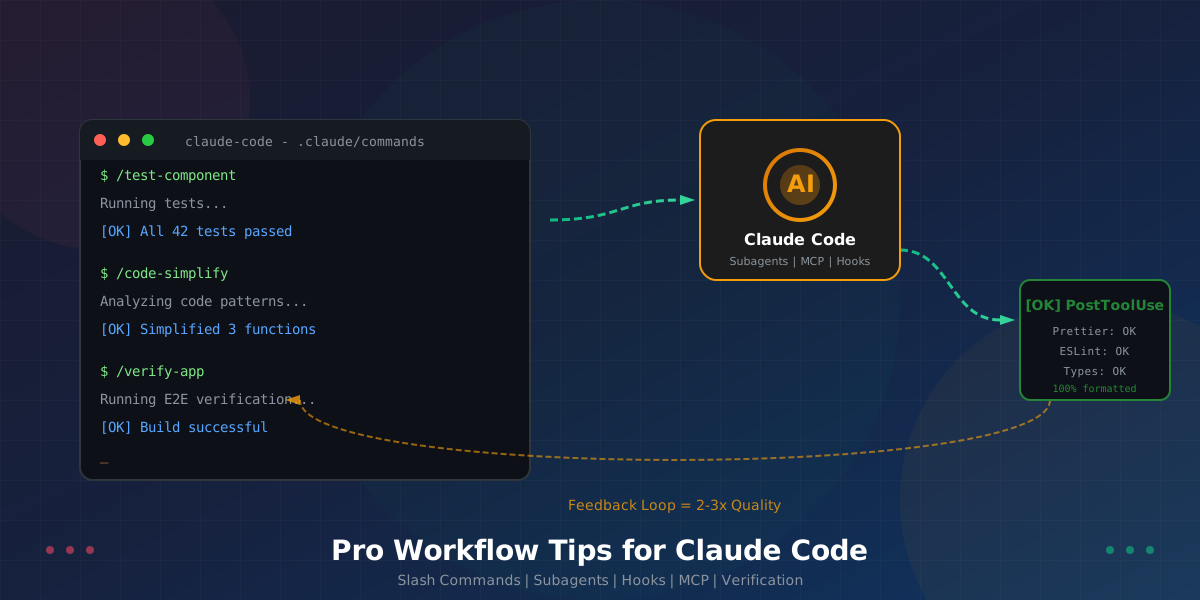
7 Pro Tips from Boris Cherny: Mastering Claude Code Workflows
When it comes to getting the most out of Claude Code, few people have more hands-on experience than Boris Cherny, an engineer at Anthropic who works directly on the product. In a recent thread, Boris shared his battle-tested workflow strategies that help him ship code faster and more reliably.
These aren't theoretical tips—they're the exact techniques used by someone building Claude Code itself.
Whether you're just getting started with AI-assisted development or looking to level up your existing workflow, these insights will transform how you work with Claude.
1. 🎯 Create Slash Commands for Repeated Workflows
The Insight
"I use slash commands for every 'inner loop' workflow that I end up doing many times a day. This saves me from repeated prompting, and makes it so Claude can use these workflows, too."
Why This Matters
Every time you type the same instructions, you waste time and introduce inconsistency. Slash commands turn your most common prompts into reusable, shareable tools.
How to Implement
Commands are checked into git and live in .claude/commands/. This means:
- Your entire team shares the same workflows
- Claude itself can invoke these commands
- Version control tracks changes over time
Example Command Structure
.claude/
└── commands/
    ├── test-component.md
    ├── review-pr.md
    ├── add-feature.md
    └── debug-issue.md
Real-World Application
Instead of typing: "Please run all the tests for this component, check for any failures, and if there are issues, analyze the error messages and suggest fixes..."
You simply type: /test-component
The command file contains your detailed instructions, ensuring consistent execution every time.
2. 🤖 Deploy Subagents for Specialized Tasks
The Insight
"I use a few subagents regularly: code-simplifier simplifies the code after Claude is done working, verify-app has detailed instructions for testing Claude Code end to end, and so on."
Why This Matters
Complex development workflows benefit from specialized agents that handle specific parts of the process. Think of subagents as expert assistants, each with a focused job.
Common Subagent Patterns
| Subagent | Purpose | When to Use |
|---|---|---|
| code-simplifier | Clean up and simplify generated code | After initial implementation |
| verify-app | End-to-end testing with detailed instructions | Before committing changes |
| docs-writer | Generate documentation from code | After feature completion |
| security-reviewer | Check for security issues | Before code review |
How to Think About Subagents
Just like slash commands, subagents automate your most common workflows. The key difference is that subagents handle more complex, multi-step processes that require their own context and instructions.
Best Practices
- Keep subagents focused – one job per agent
- Document expected inputs and outputs – clarity prevents confusion
- Test subagents independently – ensure they work reliably before integrating
- Share with your team – subagents should be collaborative resources
3. 🎨 Use PostToolUse Hooks for Code Formatting
The Insight
"We use a PostToolUse hook to format Claude's code. Claude usually generates well-formatted code out of the box, and the hook handles the last 10% to avoid formatting errors in CI later."
Why This Matters
Even the best AI-generated code occasionally has minor formatting inconsistencies. Rather than catching these in CI (or worse, in code review), hooks automatically fix them the moment code is written.
The 90/10 Rule
Claude handles 90% of formatting perfectly. The PostToolUse hook catches:
- Trailing whitespace
- Inconsistent indentation
- Import ordering
- Line length violations
Implementation Benefits
| Without Hook | With Hook |
|---|---|
| Formatting errors caught in CI | Issues fixed immediately |
| Manual prettier/eslint runs | Automatic formatting |
| Inconsistent code style | Consistent output every time |
| Context switching to fix issues | Seamless workflow |
How It Works
The hook runs automatically after Claude writes or modifies code, applying your project's formatters (Prettier, Black, gofmt, etc.) without any manual intervention.
4. 🔐 Smart Permission Management (Skip the Danger)
The Insight
"I don't use --dangerously-skip-permissions. Instead, I use /permissions to pre-allow common bash commands that I know are safe in my environment, to avoid unnecessary permission prompts."
Why This Matters
The --dangerously-skip-permissions flag might seem convenient, but it removes an important safety layer. Boris's approach gives you speed without sacrificing security.
The Better Approach
Pre-approve commands you know are safe in your environment:
# Example safe commands to pre-allow
npm install
npm run test
npm run build
git status
git diff
Key Principles
- Shared settings – Store in
.claude/settings.jsonand check into git - Team consistency – Everyone uses the same safe command list
- Explicit allowlist – Only permit what you've verified as safe
- Maintain security – Keep the permission layer for unknown commands
Configuration Example
{
  "permissions": {
    "allowedCommands": [
      "npm install",
      "npm run test",
      "npm run build",
      "git status",
      "git diff",
      "yarn",
      "pnpm"
    ]
  }
}
5. 🔌 Integrate Your Entire Toolkit via MCP
The Insight
"Claude Code uses all my tools for me. It often searches and posts to Slack (via the MCP server), runs BigQuery queries to answer analytics questions, grabs error logs from Sentry, etc."
Why This Matters
When Claude can access your actual tools—not just write code—it becomes a true development partner. MCP (Model Context Protocol) bridges the gap between AI and your infrastructure.
Real-World Integrations
| Tool | What Claude Can Do |
|---|---|
| Slack | Search conversations, post updates, notify team members |
| BigQuery | Query analytics data, generate reports, answer data questions |
| Sentry | Pull error logs, analyze stack traces, debug issues |
| GitHub | Create PRs, check CI status, review code |
| Databases | Query data, analyze schemas, generate migrations |
Team Collaboration
"The Slack MCP configuration is checked into our .mcp.json and shared with the team."
This means everyone on your team gets the same integrations, reducing setup time and ensuring consistency.
Getting Started with MCP
- Identify your most-used tools – What do you check constantly during development?
- Find or create MCP servers – Many popular tools have community servers
- Configure in
.mcp.json– Add to version control for team sharing - Start simple – Begin with one integration, then expand
6. ⏱️ Handle Long-Running Tasks Intelligently
The Insight
"For very long-running tasks, I will either (a) prompt Claude to verify its work with a background agent when it's done, (b) use an agent Stop hook to do that more deterministically, or (c) use the ralph-wiggum plugin."
Why This Matters
Long tasks need different handling than quick fixes. Without proper verification, you might discover problems only after significant time investment.
Three Strategies for Long Tasks
Strategy A: Background Agent Verification
When Claude finishes a complex task, automatically trigger a verification agent:
Complete feature → Background agent runs tests → Agent reports issues → Fix before you review
Strategy B: Stop Hooks for Deterministic Verification
Stop hooks run automatically when Claude pauses or completes work:
- More reliable than prompting
- Consistent execution every time
- Catches issues systematically
Strategy C: The Ralph-Wiggum Plugin
Named playfully, this plugin (conceptualized by Geoffrey Huntley) provides additional safeguards for autonomous, long-running Claude sessions.
Choosing the Right Strategy
| Scenario | Best Strategy |
|---|---|
| Quick feature work | Background agent verification |
| Critical production code | Stop hooks with full test suite |
| Extended autonomous sessions | Ralph-wiggum plugin |
| Team projects | Combination approach |
7. 🔄 Give Claude a Way to Verify Its Work
The Insight
"Probably the most important thing to get great results out of Claude Code—give Claude a way to verify its work. If Claude has that feedback loop, it will 2-3x the quality of the final result."
Why This Matters
This is Boris's most important tip. Verification isn't just about catching bugs—it fundamentally improves how Claude approaches problems.
The Feedback Loop Difference
| Without Verification | With Verification |
|---|---|
| Claude guesses at correctness | Claude confirms correctness |
| Issues found in review | Issues caught immediately |
| Single-pass implementation | Iterative refinement |
| Hope it works | Know it works |
How to Create Feedback Loops
- Tests – Claude runs tests after every change
- Type checking – Immediate feedback on type errors
- Linting – Catch style and potential bugs early
- Build verification – Confirm the project still compiles
- Integration tests – Verify system-level functionality
Real-World Impact
"Claude tests every single change I land."
This isn't extra work—it's the key to reliable output. When Claude can verify its own work, it:
- Catches its own mistakes before you see them
- Iterates on solutions until they actually work
- Builds confidence in the final output
- Reduces your review burden significantly
🚀 Putting It All Together
Boris's workflow isn't about using one magic trick—it's about creating a system of interconnected practices that compound over time.
The Complete Workflow
1. Slash command initiates task
    ↓
2. Claude works with MCP tool access
    ↓
3. PostToolUse hook formats code
    ↓
4. Subagent verifies and simplifies
    ↓
5. Feedback loop catches issues
    ↓
6. Ready for review with high confidence
Start Here: The Minimum Viable Workflow
If you're just getting started, focus on these three things:
- Create one slash command for your most repeated task
- Set up basic permissions for safe commands
- Ensure Claude can run tests for verification
Then iterate. Add subagents when you identify repetitive patterns. Integrate tools via MCP when you find yourself constantly switching contexts. Add hooks when you notice recurring cleanup tasks.
💡 Key Takeaways
| Principle | Implementation | Impact |
|---|---|---|
| Reduce repetition | Slash commands | Faster, consistent prompting |
| Specialize | Subagents | Better quality for complex tasks |
| Automate cleanup | PostToolUse hooks | Zero formatting issues |
| Stay secure | Permission allowlists | Speed without danger |
| Extend capabilities | MCP integrations | Claude uses your tools directly |
| Handle complexity | Long-task strategies | Reliable autonomous work |
| Verify everything | Feedback loops | 2-3x quality improvement |
The Bottom Line
Boris Cherny's workflow represents what's possible when you treat Claude Code not as a simple tool, but as a development partner with its own capabilities and limitations.
The most successful Claude Code users aren't those who simply prompt better—they're those who build systems around the AI that leverage its strengths and compensate for its weaknesses.
Give Claude the right tools, the right commands, and the right feedback loops, and it will deliver results that feel almost magical.
Resources
Ready to transform your development workflow? Start with one of Boris's tips today, and build your way to a more productive coding experience with Claude.